
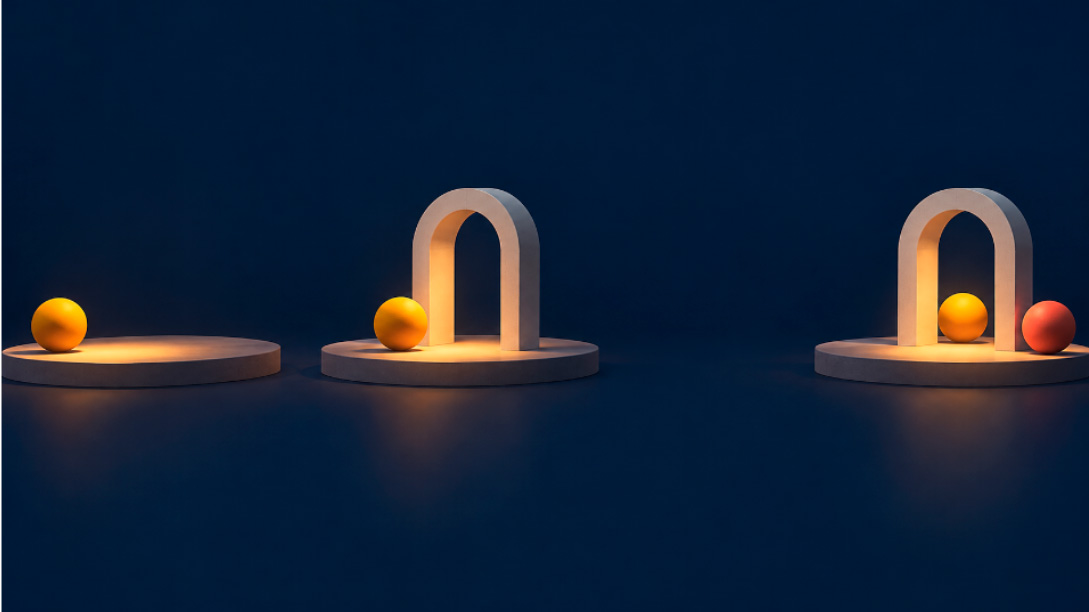
A performer reaches a doorway and waits. Another person looks up only after the wait has become uncomfortable. In a hypothetical rehearsal clip, that small delay carries the scene: the second person is responding to the arrival, not merely moving at the same time. Give the footage a new visual style and the positions may remain recognizable while the relationship between the actions disappears.
Before using an AI video editor to explore a treatment, identify the pause that must survive. AIVideoEditor offers a video-to-video route for transforming existing footage from a written idea. A useful preview should let the director discuss appearance while still recognizing the performance. If the restyled version rushes the wait or anticipates the reaction, it is no longer showing the same dramatic choice.
Find the Pause That Changes the Scene
Begin with the original clip and watch the action without planning a style. Note the first arrival, the held position, and the response. Use those three landmarks to organize the comparison. The important interval is the space between them. A clip can preserve their order and still change the meaning by making that interval almost disappear.
For the doorway example, distinguish a deliberate wait from an accidental gap in the recording. A director may want the audience to notice that someone is choosing not to enter. If the edited figure continually shifts forward, the same moment can look like ordinary walking. Describe the intended action in concrete terms: the person stops beside the doorway, remains there, and enters only after the other person turns.
Also identify what is allowed to change. The scene might become a drawn stage study or a muted painted environment. Its texture can change without changing the sequence of attention. Agree that the appearance may change while the order and spacing of the actions should remain recognizable. Otherwise every attractive variation creates a fresh argument about what the actors were supposed to be doing.
Keep the source available to everyone reviewing the preview. Memory is a poor substitute when the difference concerns a short hesitation. A viewer who remembers only the broad action may accept a smoother version without noticing that it erased the original tension. The comparison should make the pause easy to inspect instead of requiring the director to reconstruct it from a verbal description.
Prepare a Continuous Reference Before Requesting a Treatment
Choose a short, continuous passage that includes the approach, pause, and response. Starting halfway through the wait removes information about how the performer arrived there. Ending before the response removes the consequence. Prepare that passage in the editing workflow you already use; do not assume the generation page will make the selection for you. The useful unit is the complete exchange of actions.
AIVideoEditor presents the video-to-video process as uploading a clip, entering the intended idea, generating, and downloading the result. For this rehearsal study, the written idea should describe the new visual treatment and the action that should remain. Request a drawn-stage appearance, for example, while specifying the stop beside the doorway and the later response. Check the returned clip against that description.
Use the available Video Length setting with the source passage in mind. If the selected output cannot include the complete exchange, choose a different supported setup or a shorter source passage that still carries the action. Do not squeeze a meaningful pause into an unsuitable duration and then judge the model solely on that result. The preview needs enough room to contain what the team is trying to discuss.
The page also exposes Generate Audio. Decide whether new sound belongs in this study before generating. A new footstep, musical accent, or door sound could make a reaction seem motivated differently even when the pictures remain close. For a visual-treatment discussion, review the picture separately from any generated soundtrack and keep the original recording available. Do not assume that a displayed audio control guarantees preservation of the original sound.
Compare the Reaction Before Judging the New Look
When the candidate is ready, compare the original and the preview at normal playback speed first. A pause has an effect over time that a single still cannot show. Watch for the moment attention shifts between the two performers. If the second person appears to respond before the first has stopped, the restyling has changed the exchange even if each isolated frame looks plausible.
Teams that edit videos online can make this review concrete by returning to the three landmarks recorded before generation. Find the arrival, the held position, and the response in both clips. Then inspect the intervals between them. Use the playback tools available in the review environment; this comparison does not depend on the generator providing a special timing-analysis feature.
Does the first performer visibly stop before the response begins?
- Does the held position last long enough to remain perceptible?
- Does the second performer’s attention change in response to the same action?
AIVideoEditor can supply another treatment to inspect, but a better-looking surface should not overrule a failed answer. Suppose the painted version keeps both figures in roughly the right places while adding constant movement to the waiting figure. That movement may turn hesitation into impatience or indecision. Record the specific change in the feedback instead of asking vaguely for a more faithful result.
Now check the treatment itself. Does a new shadow hide the turn of the second person’s head? Does a decorative shape near the doorway attract attention before the arrival? The timing can remain similar while the viewer misses its cause. A useful preview keeps the important gesture readable. Reduce the visual ambition if the style competes with the performance that the clip exists to explain.
Not every difference calls for another generation. A small color preference can wait until the team has agreed that the scene still reads. A reversed response or missing stop cannot. This distinction prevents a discussion about texture from consuming the session while the central action has already changed. Reject the candidate for the relevant reason, and keep the original as the reference for any subsequent attempt.
Return the Preview With the Original Performance
Present the restyled clip beside its source and state the question it is meant to answer. “Would this drawn treatment suit the scene?” keeps the discussion focused. Calling it an improved rehearsal clip invites a broader claim about the performance. The director should be able to separate a useful visual suggestion from a record of what the performers actually did.
If a candidate communicates the palette but mishandles the pause, identify that defect in the handoff. It can serve as a reference for appearance while the original remains the performance reference. The next reviewer needs to know which decision has actually been approved.
AIVideoEditor is worth considering for a team exploring how an existing scene might look in another style. Keep the original footage for decisions about performance, and reject a preview that changes the pause carrying the scene’s meaning. Once the visual direction is understood, take that decision back to the actual edit rather than treating a polished variation as the final authority on timing.